

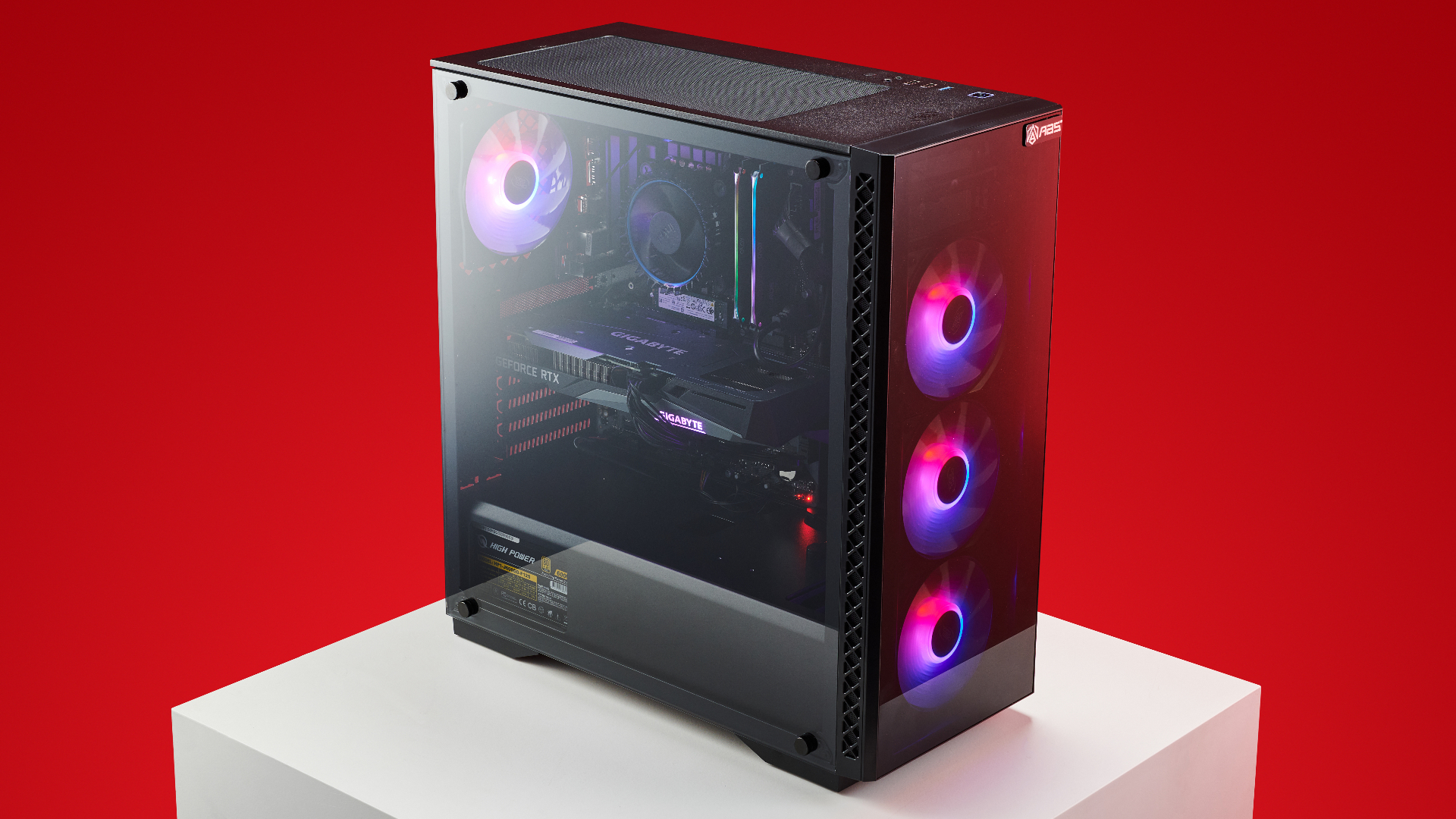
Are you tired of lagging gameplay and slow load times? High-performance gaming PCs are the solution to elevate your gaming experience. Whether you’re a seasoned gamer or a newbie PC builder, understanding these powerful machines will transform how you play. In this post, we’ll explore everything you need to know about high-performance gaming PCs, from essential components to building and maintaining one yourself.
Understanding the Basics of High-Performance Gaming PCs
A high-performance gaming PC isn’t just any computer—it’s a finely tuned machine designed to handle the latest games at the highest settings. But what exactly makes a PC “high-performance”? The answer lies in the balance of its components and how well they work together to deliver seamless gameplay.
The core of any high-performance gaming PC is its ability to process complex graphics and run demanding applications smoothly. This is achieved by integrating top-tier hardware like powerful CPUs, GPUs, ample RAM, and fast storage solutions. However, it’s not just the hardware that counts; optimizing software and ensuring proper cooling is equally important to maintain peak performance.
High-performance gaming PCs offer several advantages over standard desktops. They provide superior graphics, faster processing speeds, and enhanced multitasking capabilities. These benefits are crucial for gamers who want to enjoy an immersive experience without interruptions or delays.
The Key Components of a Gaming PC
CPU
The Central Processing Unit (CPU) is the brain of your gaming PC. It handles all the instructions from your games and applications. For high-performance gaming, look for CPUs with multiple cores and high clock speeds. Intel’s Core i9 and AMD’s Ryzen 9 are popular choices among gamers.
GPU
The Graphics Processing Unit (GPU) is responsible for rendering images, videos, and animations. It’s arguably the most critical component for gamers. High-end GPUs like NVIDIA’s RTX 3080 or AMD’s Radeon RX 6800 XT can deliver stunning visuals and smooth frame rates.
RAM
Random Access Memory (RAM) is your system’s short-term memory, allowing it to store and quickly access data. For gaming, 16GB of RAM is the minimum requirement, but 32GB is recommended for future-proofing your system.
Storage
Storage solutions come in two main types: Hard Disk Drives (HDDs) and Solid State Drives (SSDs). SSDs are faster and more reliable, making them ideal for gaming PCs. A combination of a smaller SSD for your operating system and games, paired with a larger HDD for additional storage, is a common setup.
Custom vs. Pre-Built Gaming PCs
Pros of Custom Gaming PCs
Building your gaming PC allows you to customize every aspect of your system. You can choose the exact components that meet your gaming needs and budget. Plus, it’s often more cost-effective, as you can shop around for the best deals on parts.
Cons of Custom Gaming PCs
However, building a gaming PC requires technical knowledge and patience. It can be time-consuming, and there’s always the risk of compatibility issues between components. Troubleshooting these problems can be challenging for beginners.
Pros of Pre-Built Gaming PCs
Pre-built gaming PCs offer convenience and peace of mind. They’re assembled and tested by professionals, ensuring that all components work harmoniously. Many come with warranties, providing extra protection for your investment.
Cons of Pre-Built Gaming PCs
On the downside, pre-built systems can be more expensive compared to custom builds. There’s also less flexibility in terms of component selection and future upgrades. Additionally, some pre-built PCs may include lower-quality parts to cut costs.
Building Your Gaming PC
Step 1: Planning and Budgeting
Start by determining your budget and the games you want to play. Research compatible components and make a list of what you’ll need. Consider future upgrades and allocate funds accordingly. To get an idea of how much is a gaming PC, compare different builds and prices online.
Step 2: Gathering Components
Purchase your CPU, GPU, motherboard, RAM, storage, power supply, and cooling system. Don’t forget peripherals like a keyboard, mouse, and monitor. Ensure all parts are compatible with each other.
Step 3: Assembling Your PC
Begin by installing the CPU and RAM on the motherboard. Mount the motherboard in the case, then add the GPU, storage devices, and power supply. Connect all cables and double-check your work before powering on the system.
Step 4: Installing Software
Install your operating system and necessary drivers. Configure your BIOS settings and update your system. Download and install your favorite games and any additional software you need.
Maintaining Your Gaming PC for Optimal Performance
Regular Cleaning
Dust and debris can accumulate inside your PC, affecting performance and causing overheating. Clean your system every few months using compressed air and a soft brush. Pay special attention to fans and vents.
Software Updates
Keep your operating system, drivers, and games up to date. Regular updates often include performance improvements and bug fixes. Use reputable antivirus software to protect your system from malware and other threats.
Monitoring Performance
Use tools like MSI Afterburner or HWMonitor to keep an eye on your system’s performance. Monitor temperatures, clock speeds, and usage levels to ensure everything is running smoothly. If you notice any issues, address them promptly to prevent long-term damage.
Future-Proofing Your Gaming PC
Choosing Upgradeable Components
When building or buying a gaming PC, opt for components that can be easily upgraded. Look for motherboards with additional RAM slots and PCIe lanes. Select a power supply with enough wattage to support future upgrades.
Keeping Up with Trends
Stay informed about the latest advancements in gaming technology. Follow industry news, join online forums, and participate in gaming communities. This knowledge will help you make informed decisions when upgrading your system.
Planning for Longevity
Invest in high-quality components that will stand the test of time. While this may require a higher upfront cost, it will save you money in the long run. Prioritize components that offer the best performance and reliability within your budget.
Conclusion
High-performance gaming PCs offer an unparalleled gaming experience, combining cutting-edge technology with customizable options. Whether you choose to build your system or opt for a pre-built one, understanding the key components and maintenance practices is essential.
